
ZTC AI by SUPER ZT
Opens 31 OctoberOne AI for every task.
One model, the right AI for every task, in one chat on your phone or your computer.
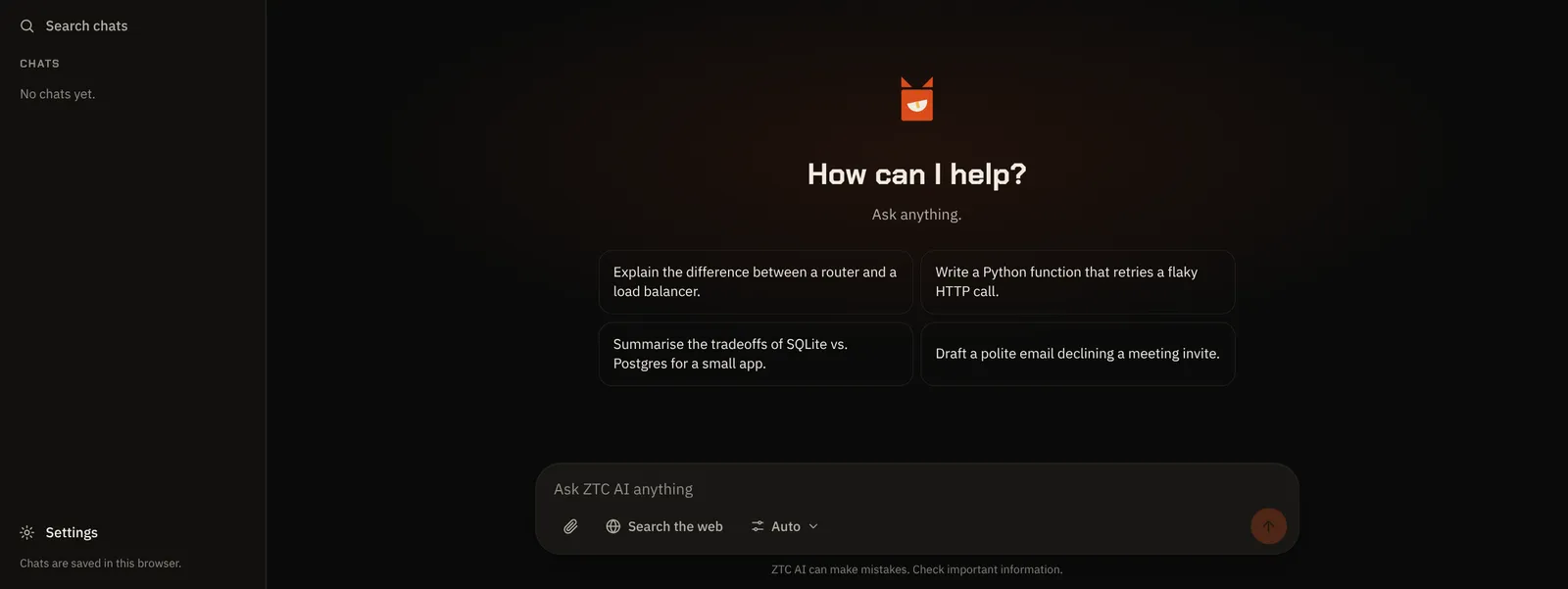
What you get
- Chat with one AI for writing, coding, questions and plans. You do not pick between models.
- Use the same AI from your own code with an API key (opens with the launch on 31 October).
- Web search when you switch it on, with the sources listed under the answer.
- Attach photos and documents: images, PDF, Word, text and CSV files.
- The answer picker: set Intelligence, Speed and Effort, or leave it on Auto.
- Chat history you can search, rename and delete, on your phone and on your computer.
Where ZTC AI is going
Launching soon. We are building our proven build method into ZTC AI so that anyone who uses it, from any tool, gets organised, worry-free results, without having to know the method themselves. It works in six steps:
- Discovery questions: it asks what you want to make before it starts.
- A written spec: your answers become a clear description of what will be made.
- A plan: the spec is split into steps you can follow.
- Small, reviewed steps: the work is done in small pieces, and each piece is checked before the next one starts.
- Tests: every piece is tested, so you can see that it works.
- Docs: you get plain notes on what was made and how to use it.
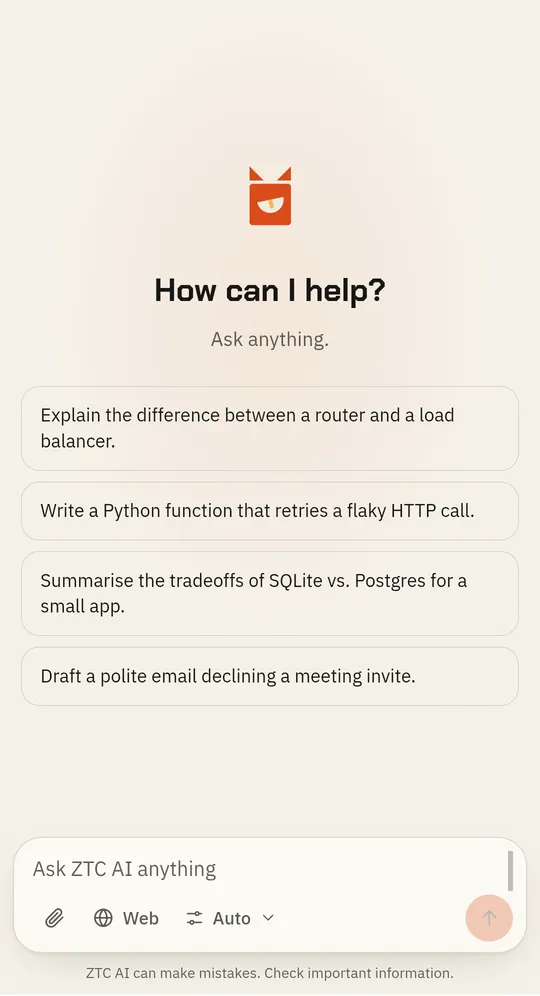
Here is the chat as you meet it on a phone: suggestions, the message box, web search and the answer picker, in one screen.
How it works
- Sign in with your account. It is the same log in you use for our other apps.
- Ask anything, attach a file or turn on web search. Leave the picker on Auto, or set how smart, how fast and how much effort.
- Read the answer, copy it, or carry on in the same chat. Your chats stay in the list on the left.
What it costs
You pay in SUPER ZT credits, only for what you use (1,000 credits = US$1). A typical message costs about 4 credits: nine messages used 39 credits in our own test. Web search and long answers cost more.
- From a few credits per message: about 4 in our own test.
- Add credits any time from the credits button at the top of the chat, or see every pack and plan.
- Founding 100: The first 100 verified accounts get US$10 of credits. Sign up and verify your email before 31 October: 10,000 credits (US$10) are added at sign-up.
Who it is for
- Business owners: write the email, summarise the document and plan the week, without learning a new tool each time.
- Marketing people: draft and rewrite copy, check a fact with web search, and keep every chat for later.
- Vibe coders and people with an idea: describe what you want and get a proven, structured build process built in, so the work is organised and worry-free.
- Developers and agencies: use the chat, and from the launch on 31 October the same AI from your own code with an API key.
FAQ
Questions people ask
- Does it get things wrong?
- Sometimes. ZTC AI says so under every chat: it can make mistakes, so check anything important.
- Can it look things up on the web?
- Yes, when you switch web search on. It is off until you do, and then the answer lists its sources. With it off, ZTC AI answers from what it already knows.
- Will my chats follow me to another device?
- Not yet. Chats are saved in the browser you used, so a chat from your phone is not on your computer.
- Can I use it from my own tools?
- Yes, API keys open on 31 October with the launch.
- Which AI does it use?
- It is one AI. You do not choose a model. You choose how smart, how fast and how much effort, or leave it on Auto, and ZTC AI picks the way to answer.
Opens 31 October
Try ZTC AI when it opens.
One AI for every task, in one chat. Sign in with your SUPER ZT account and start with a few credits.